Running a Query to Find Payment Request Status
Summary
In this article, you will learn the steps to run a query in the UGA Financial Management System to locate the status of a payment request.
Body
Overview
This article explains the steps to find the status of a payment request by running a query.
In this article, you will learn the steps to run a query in the UGA Financial Management System to locate the status of a payment request.
 |
The Query Viewer search page is displayed.
Enter " UGA_AP_PMT_REQ_STATUS " into the begins with field.
|
|
 |
The Search Results are displayed.
Click the HTML link to the right of the query name.
|
|
 |
The query results for payment request status are displayed.
Note: Data has been masked to protect employee information.
Click the Excel SpreadSheet link to download the results.
|
|
 |
Click the Open button when prompted to export the information in Excel.
|
|
 |
|
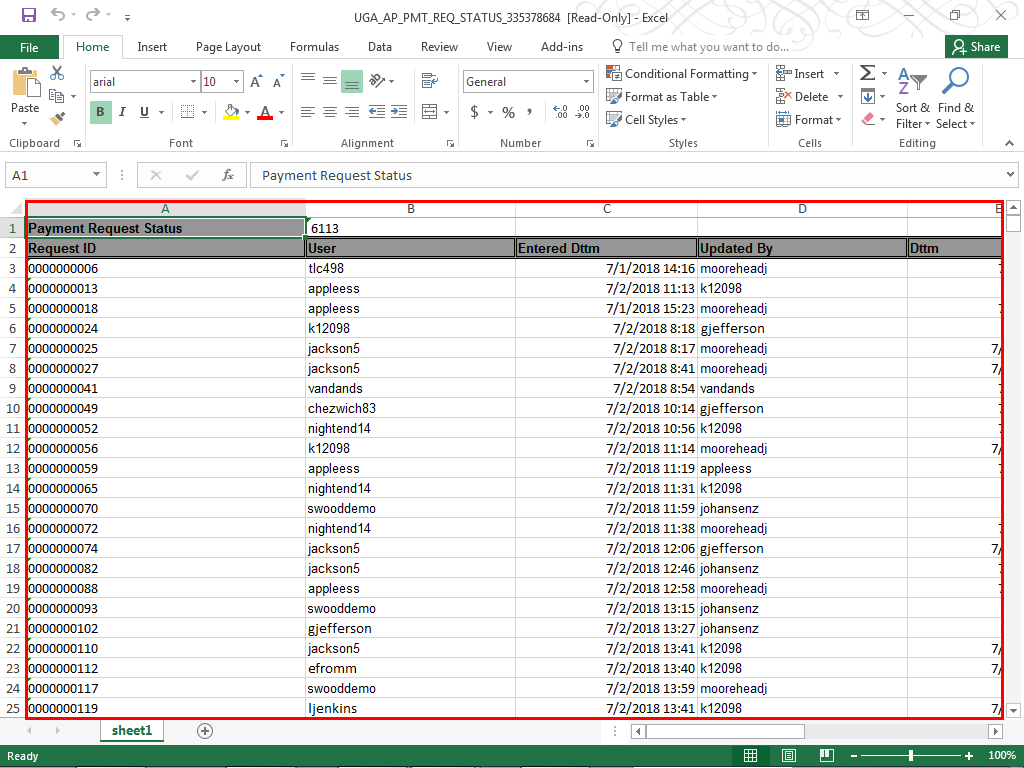
The Payment Request Status information is displayed. You can sort by Request ID number or User to find the information you need.
|
|
Details
Details
Article ID:
151496
Created
Sun 9/25/22 10:09 AM
Modified
Thu 4/9/26 11:40 AM