Viewing an Employee's Absence Request History as a Supervisor
Summary
In this article, you will learn the steps to view an employee's absence request history in OneUSG Connect as a supervisor.
Body
Overview
The OneUSG Connect system allows Supervisors and Time & Absence Approvers to view an employee's absence request history.
Supervisors can access the Absence Request History from the Team Time tile on the Manager Self Service homepage.
Time & Absence Approvers can access the Absence Request History from the Time Approver tile on the Time Approver homepage.
In this article, you will learn the steps to view an employee's absence request history in OneUSG Connect as a supervisor.
 |
First, log into OneUSG Connect.
From the Manager Self Service homepage in OneUSG Connect, click the Team Time tile.
|
|
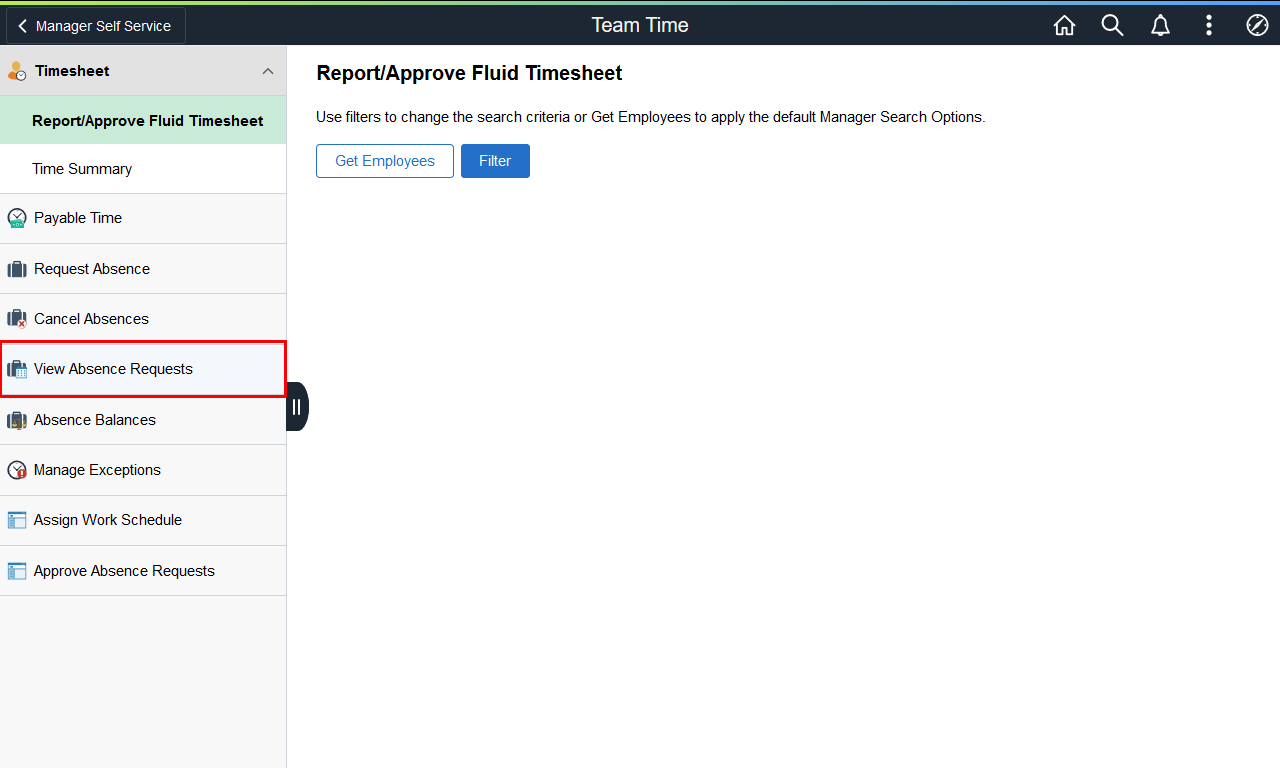 |
The Team Time page is displayed.
Click the View Absence Requests link.
|
|
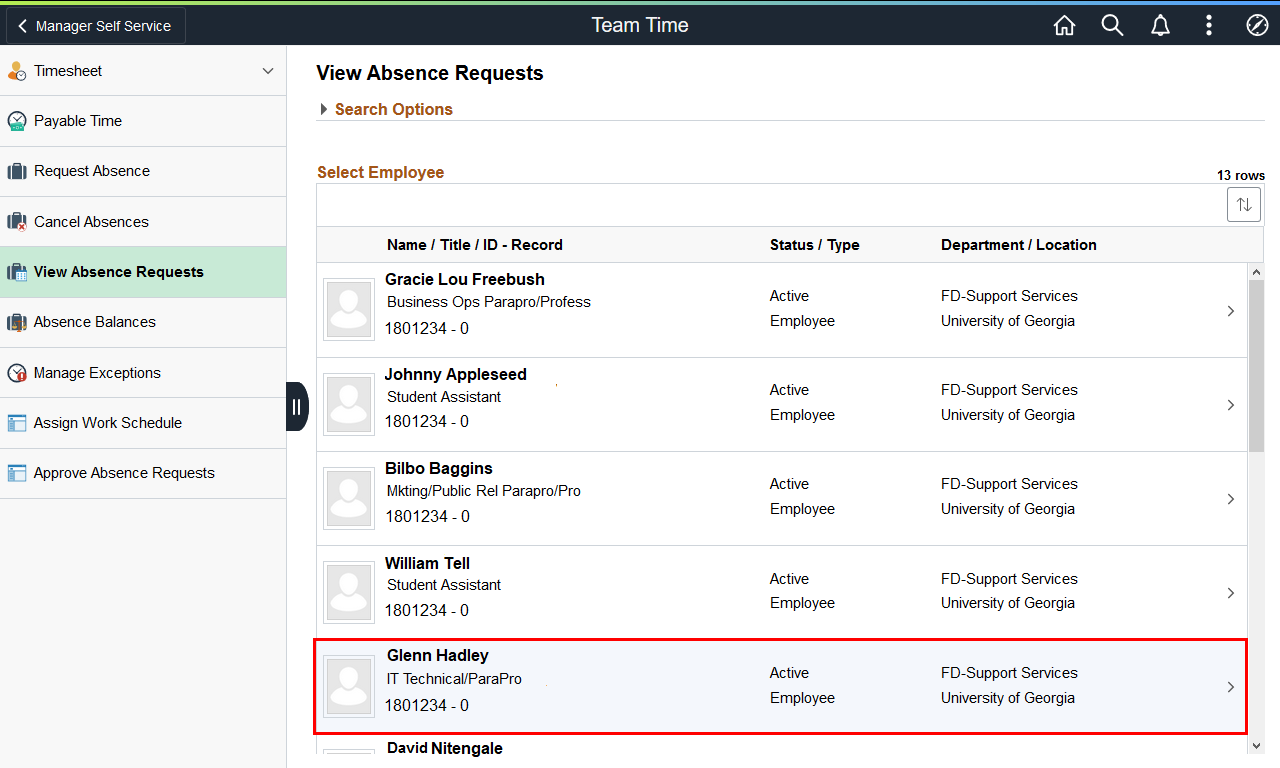 |
A list of your employees is displayed.
Select the appropriate employee.
Example shown here: Glenn Hadley.
|
|
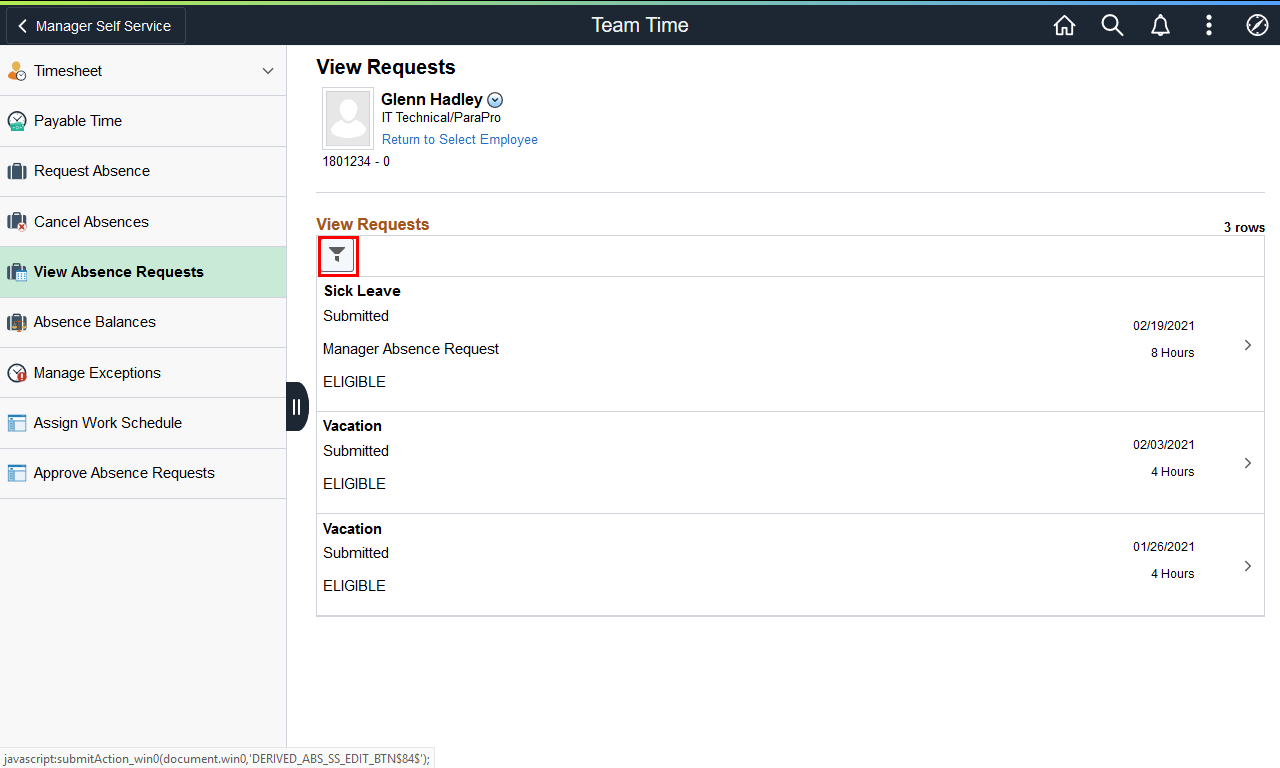 |
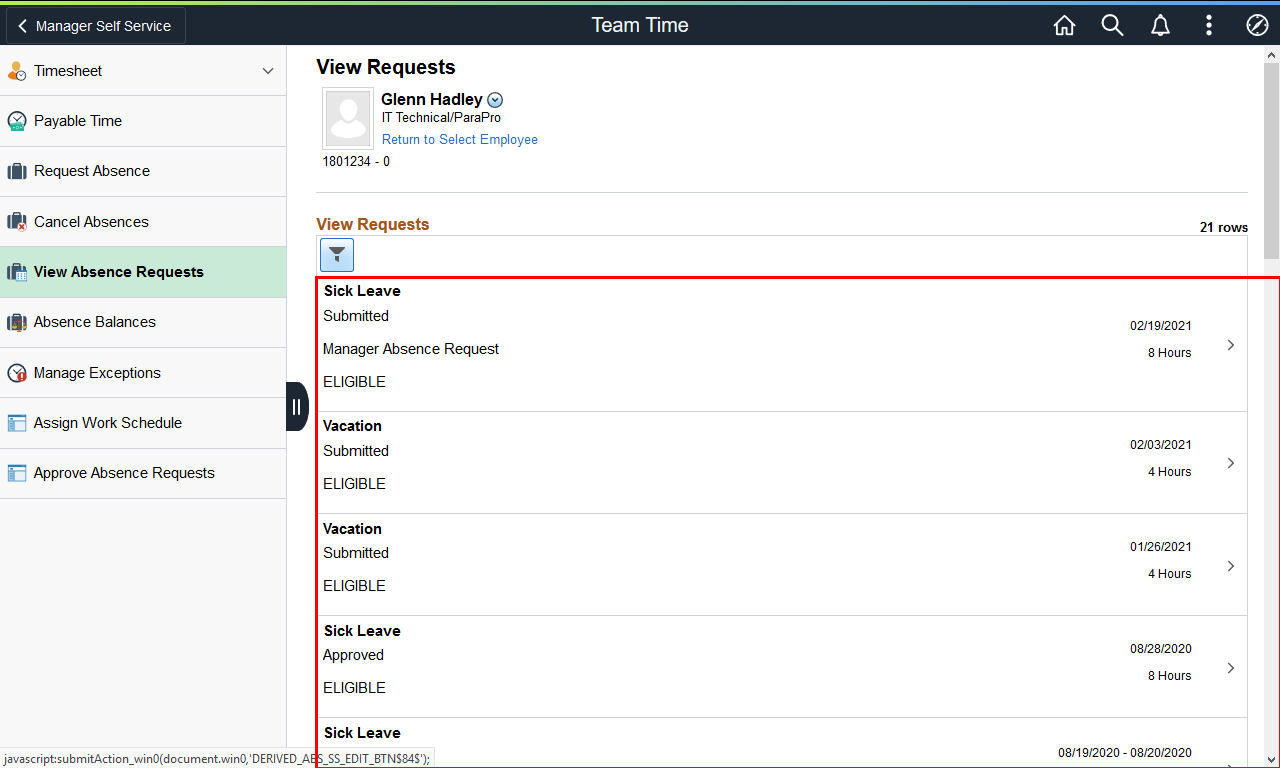
The View Request page is displayed with a view of both 90-day historical and 90-day future leave requests.
To view an expanded history of the selected employee's leave re quests, click the Filter button.
|
|
 |
|
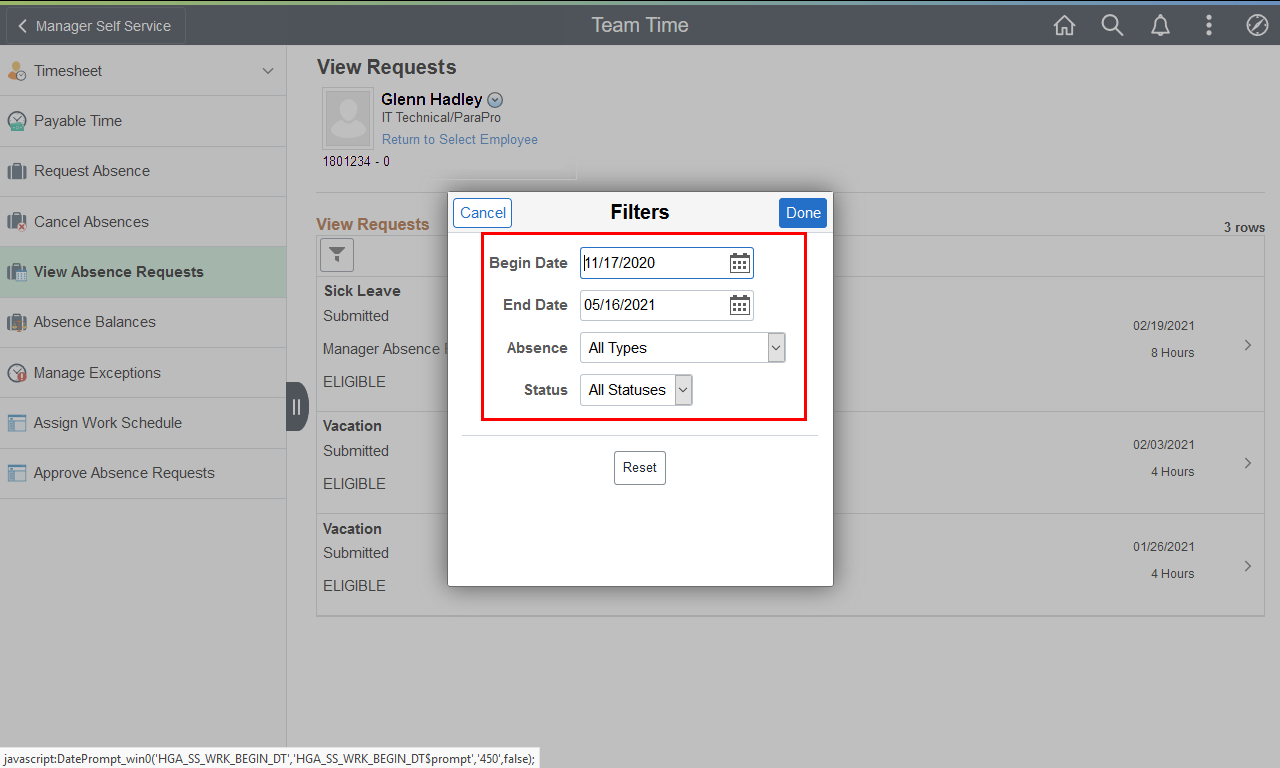
The Filters dialog box is displayed.
Enter the appropriate information in the filter fields.
|
|
 |
|
The selected range of the employee's absence requests is displayed. If necessary, scroll down to view additional information.
|
|
Details
Details
Article ID:
149675
Created
Sat 9/24/22 11:21 PM
Modified
Mon 8/3/26 5:41 PM