Accessing Alight Benefits System through OneUSG Connect
Summary
In this article, you will learn the steps to access the Alight Benefits System through OneUSG Connect.
Body
Overview
Employees can access the Alight Benefits System through OneUSG Connect. The Benefits drop-down list in OneUSG Connect provides access to the Manage My Benefits tile. Selecting the tile will direct you to the Alight Benefits System where you can manage benefits, such as health and insurance coverage.
In this article, you will learn the steps to access the Alight Benefits System through OneUSG Connect.
 |
First log into the One USG Connect.
Click the drop-down button next to the Employee Self Service menu.
|
|
 |
Click the Manage My Benefits tile.
|
|
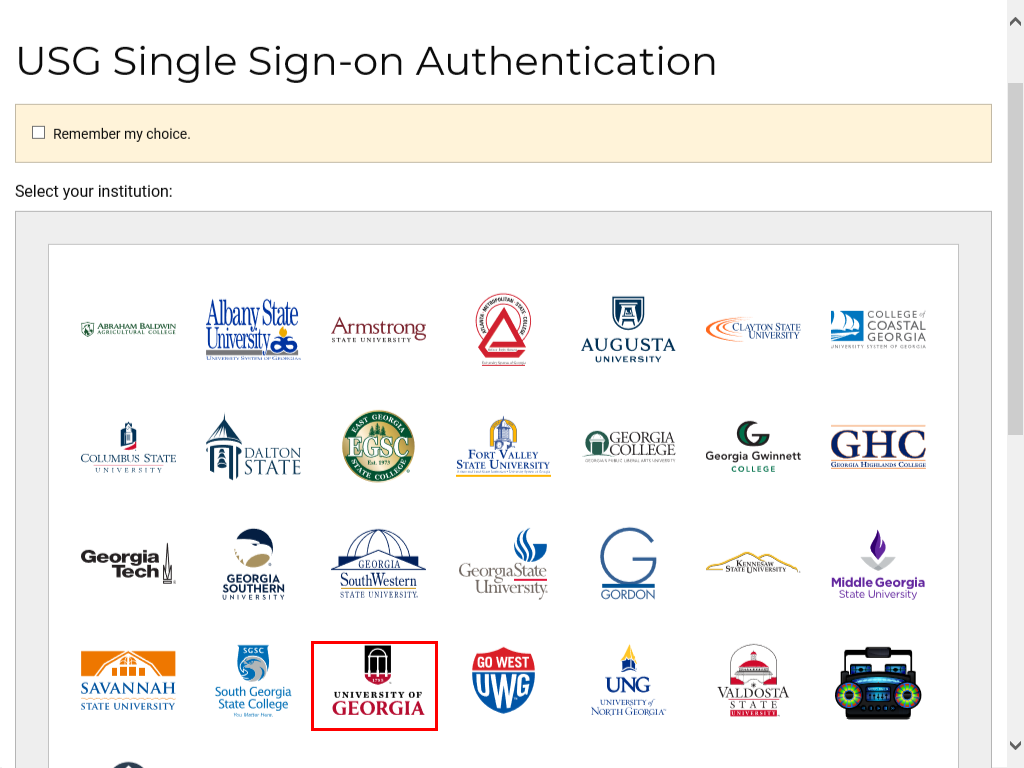 |
The USG Single Sign-on Authentication page is displayed.
You can select the Remember my choice option at the top to save time on your next sign in. Then, scroll down and click the University of Georgia link.
|
|
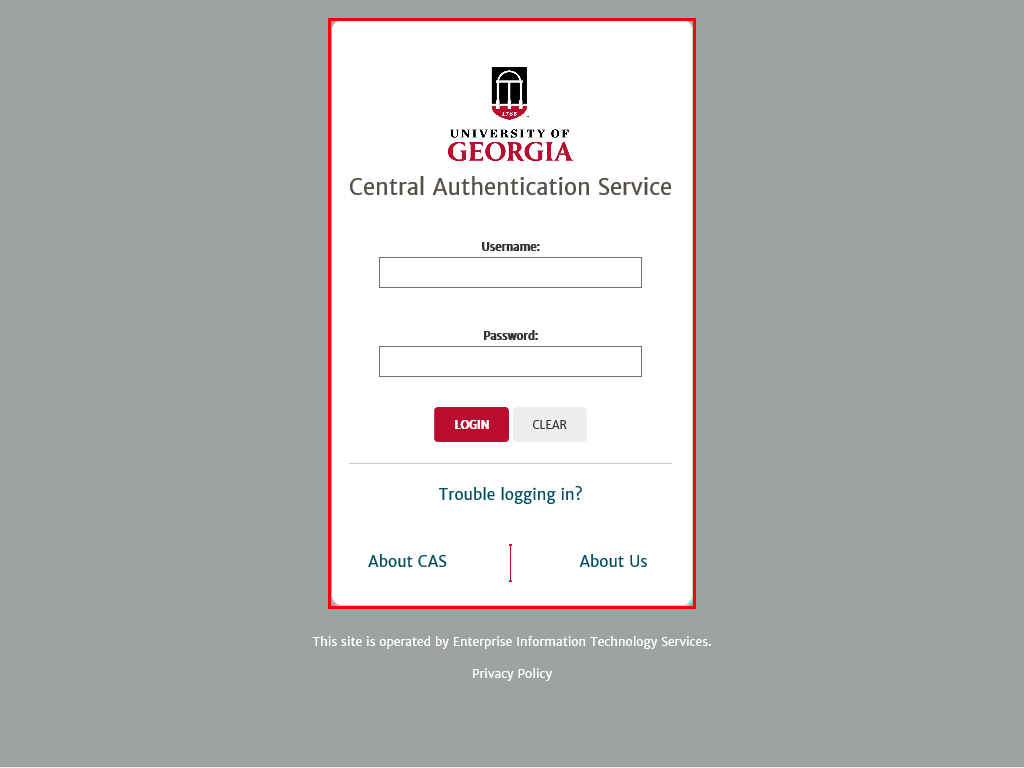 |
The Central Authentication Service page is displayed.
Enter your MyID and password to login to the system.
|
|
Details
Details
Article ID:
148845
Created
Sat 9/24/22 10:56 PM
Modified
Thu 4/2/26 1:48 PM