Viewing Project Expenditure Details by Award
Summary
In this article, you will learn to run a detail expenditure query by award.
Body
Overview
This query lists fully processed detail level expenditures by award. The query name is UGA_GM_OP_EXP_AWD_DETAIL.
In this article, you will learn to run a detail expenditure query by award.
 |
Click the UGA Financials link.
|
|
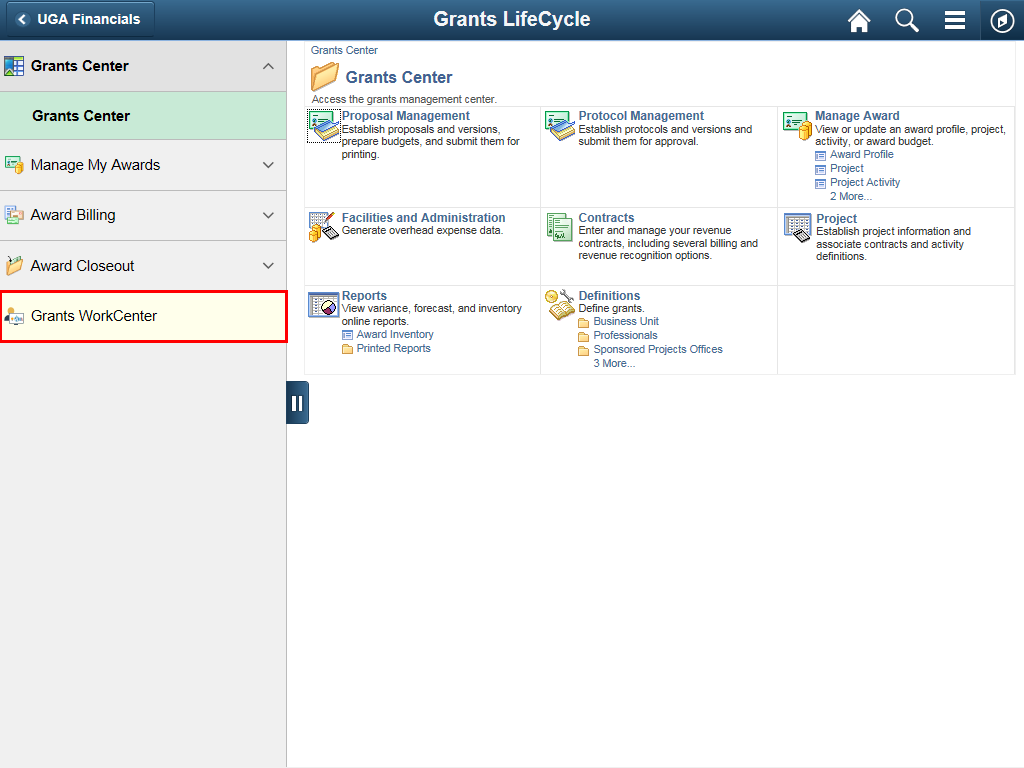 |
Click the Grants WorkCenter link.
|
|
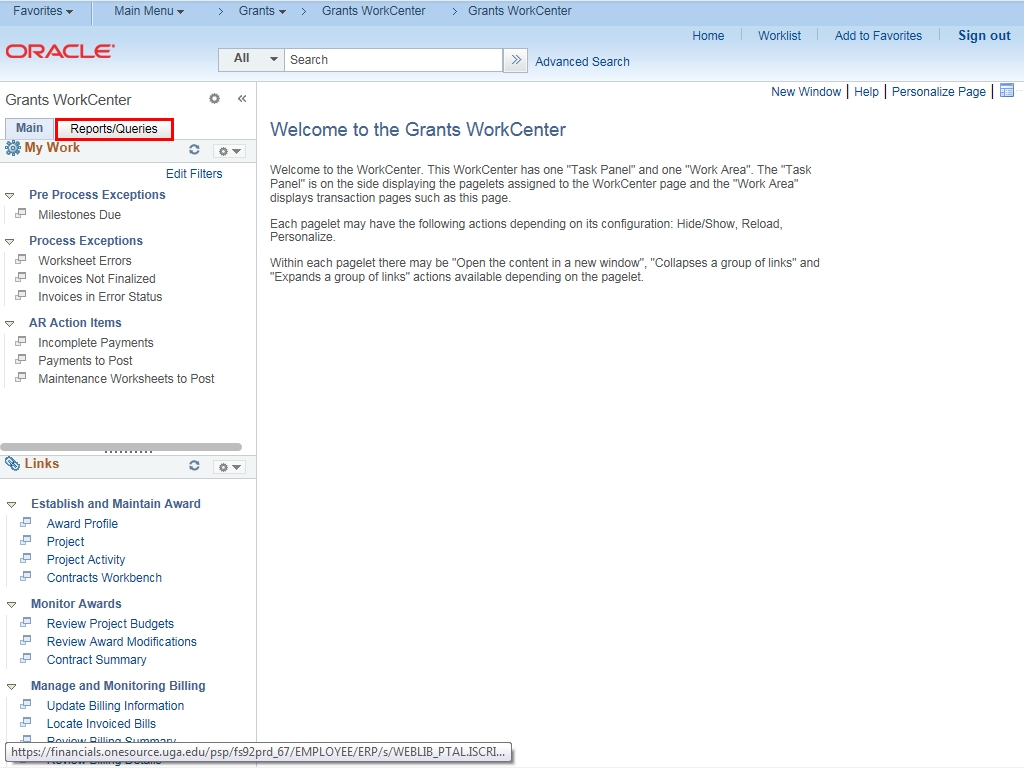 |
Click the Reports/Queries tab.
|
|
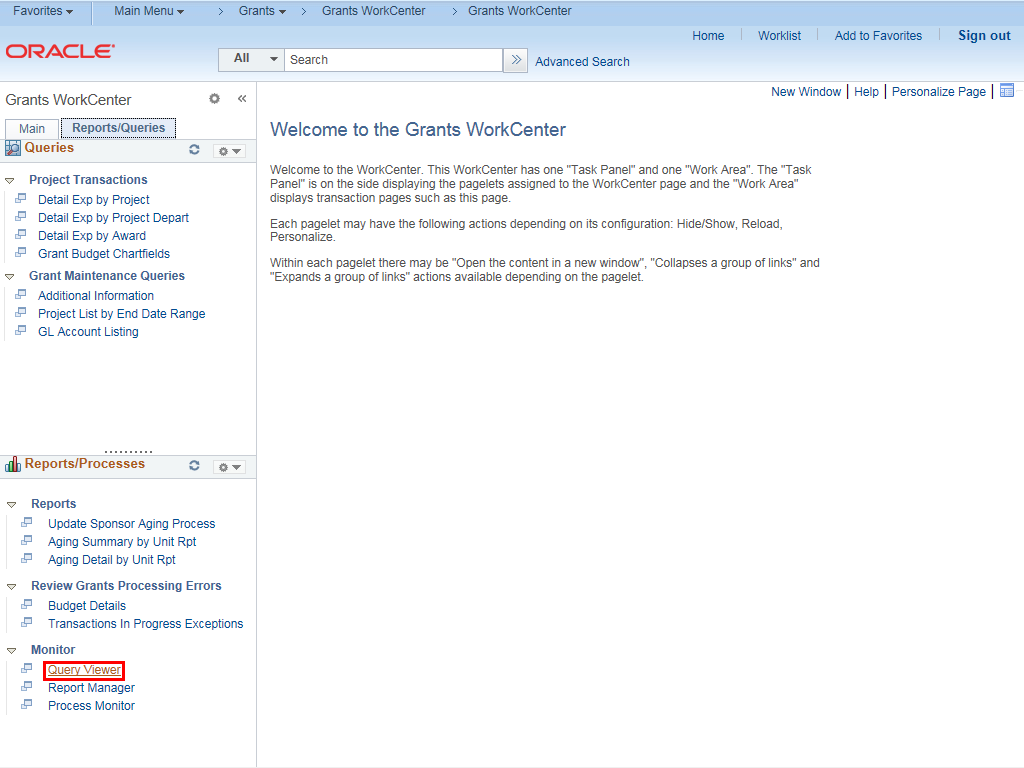 |
Click the Query Viewer link.
|
|
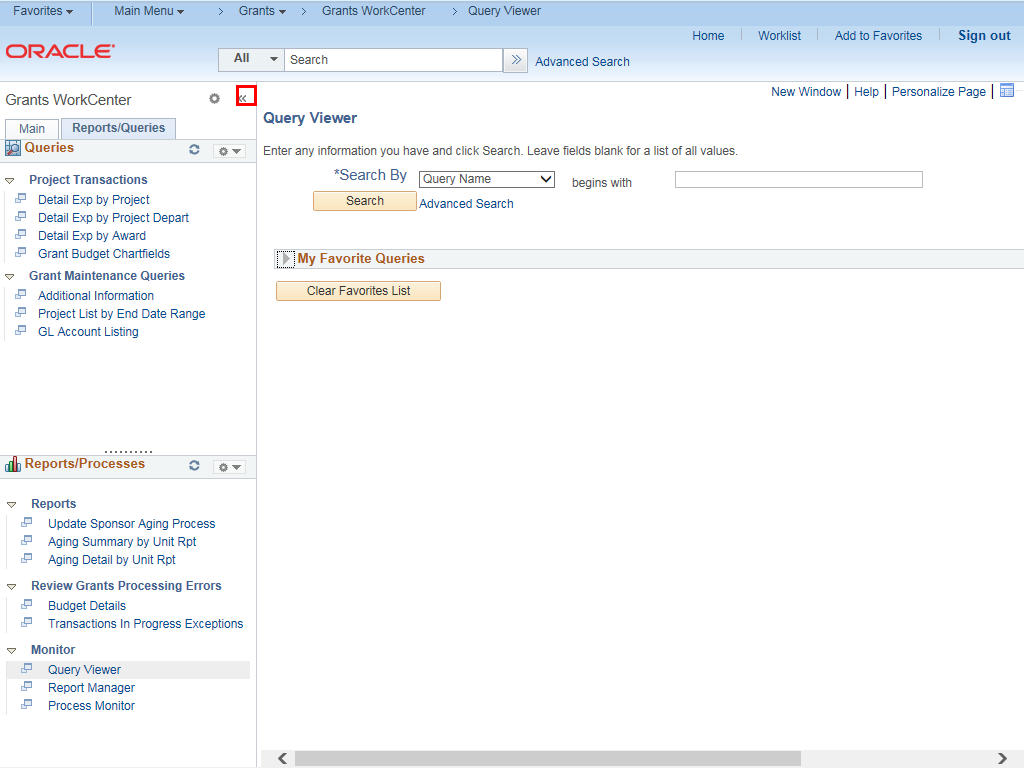 |
Click the << button to close the Grants WorkCenter.
|
|
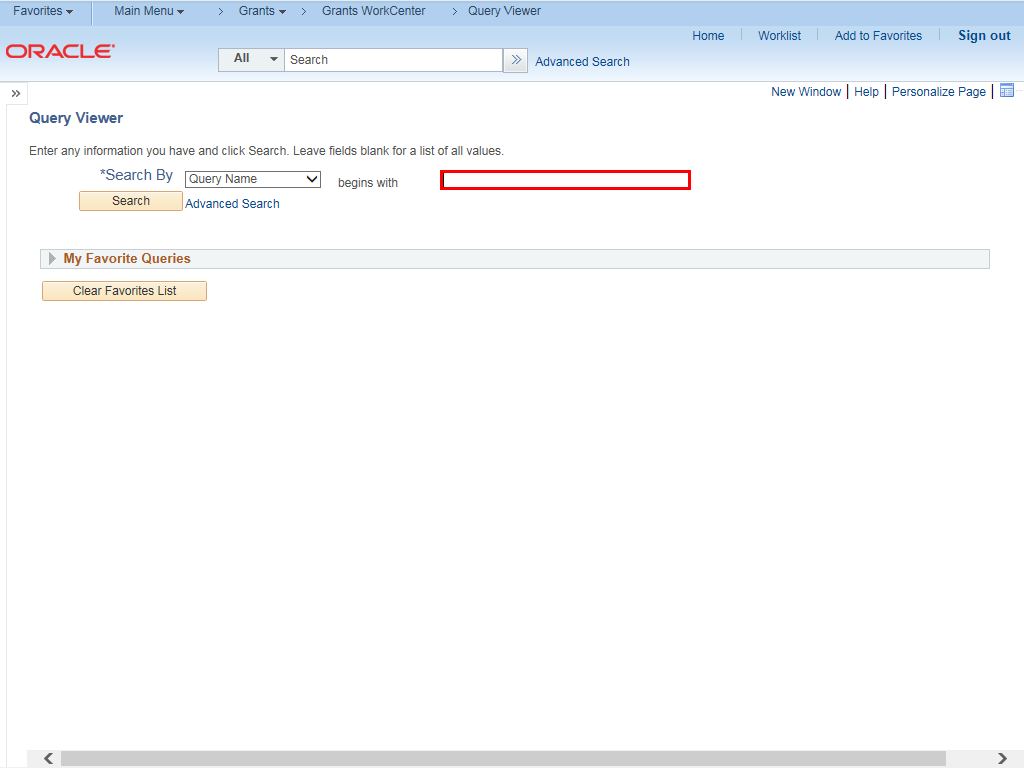 |
The Query Viewer page is displayed.
Enter appropriate query name into the begins with field.
Example shown here: " UGA_GM_OP_EXP_AWD_DETAIL ".
|
|
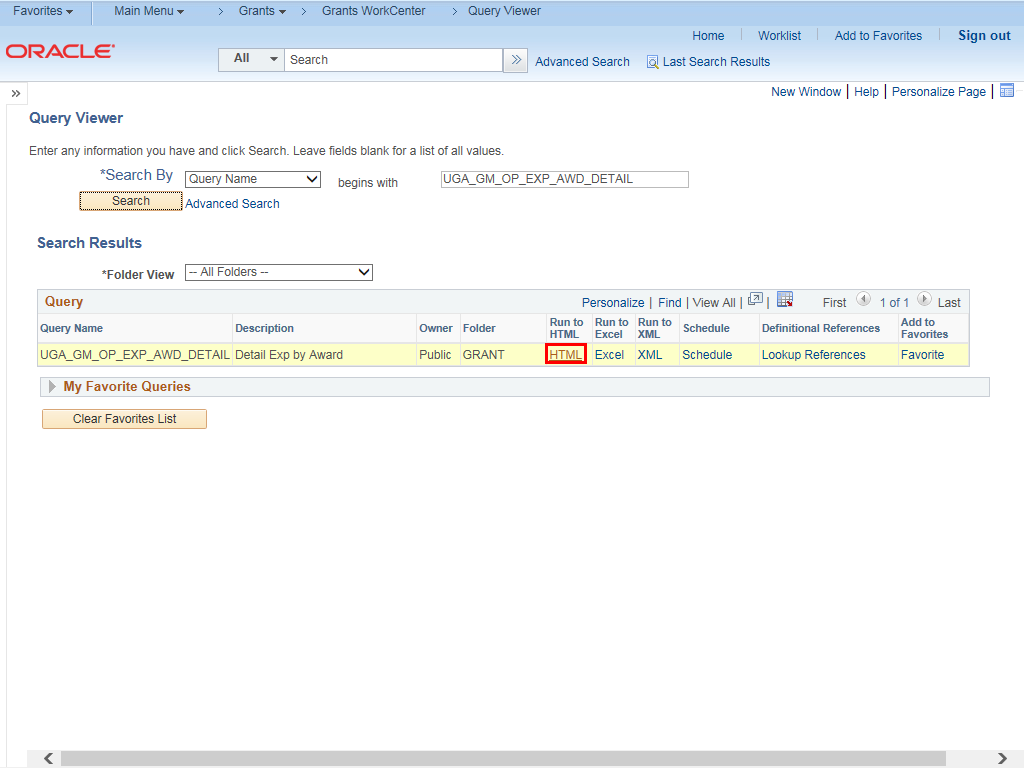 |
In the Search Results Query section, click the HTML link.
|
|
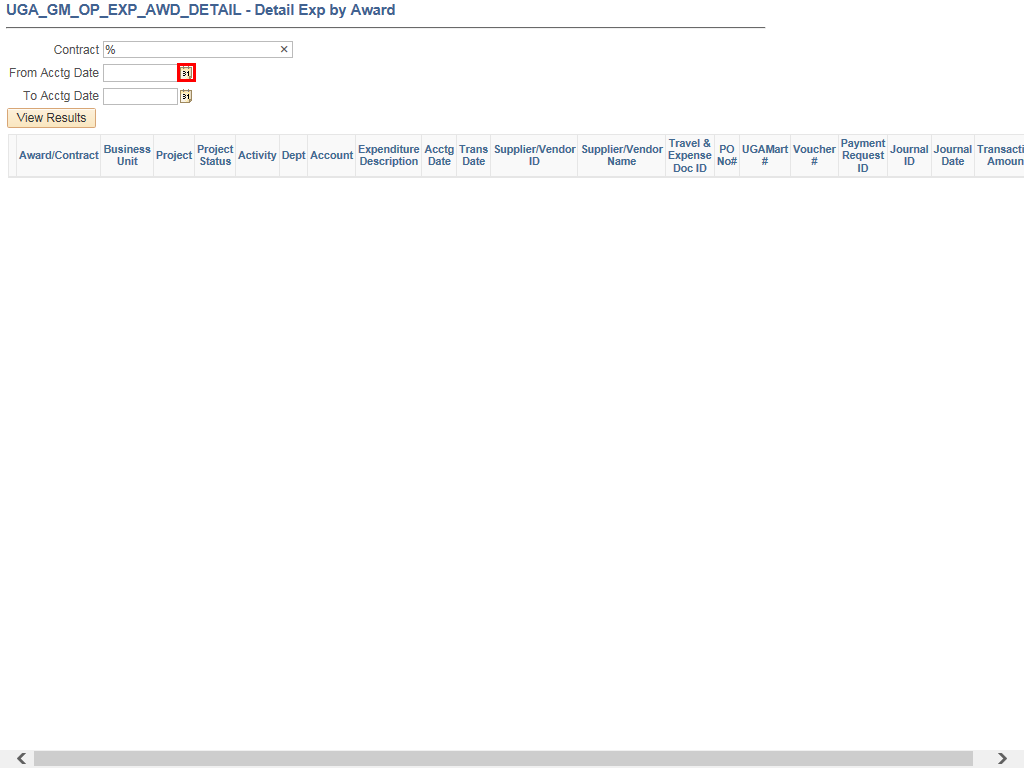 |
Click the Calendar button to change the From Acctg Date.
|
|
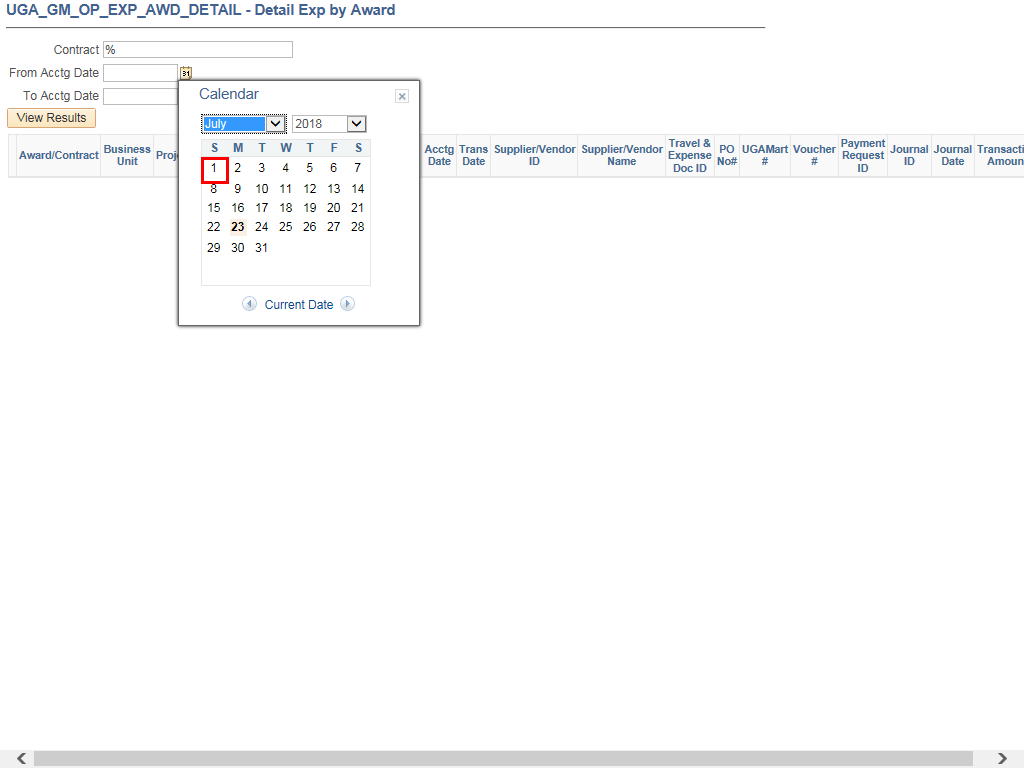 |
Example shown here: July 1, 2018 option.
|
|
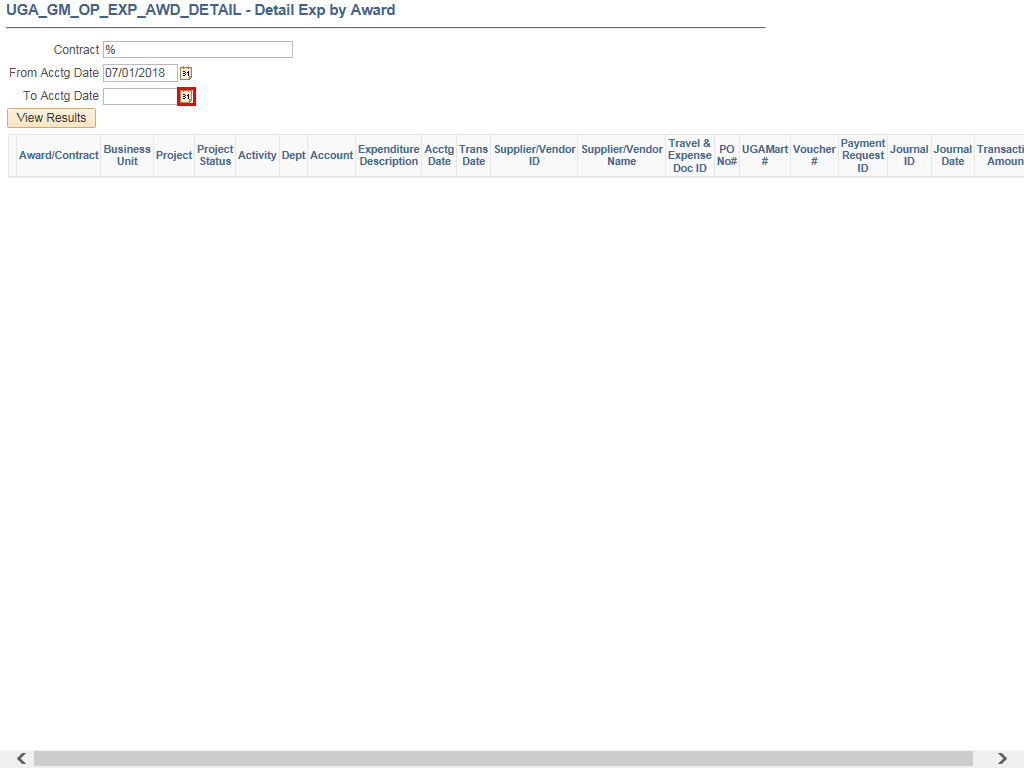 |
Click Calendar button to change the To Acctg Date.
|
|
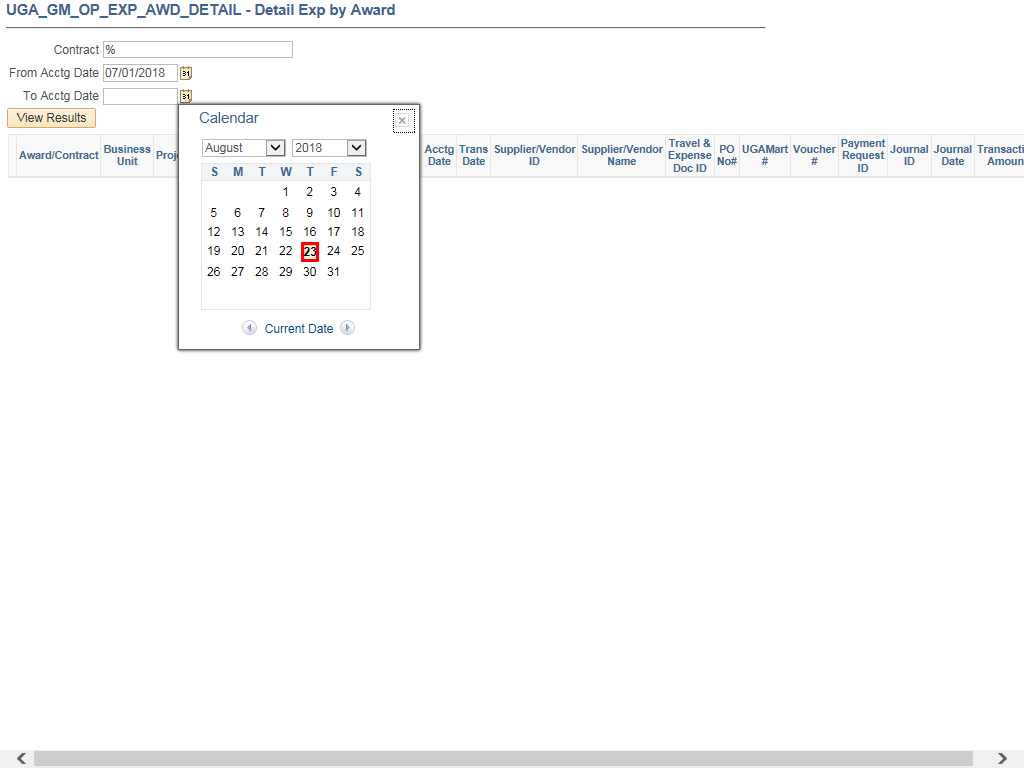 |
Example shown here: August 23, 2018.
|
|
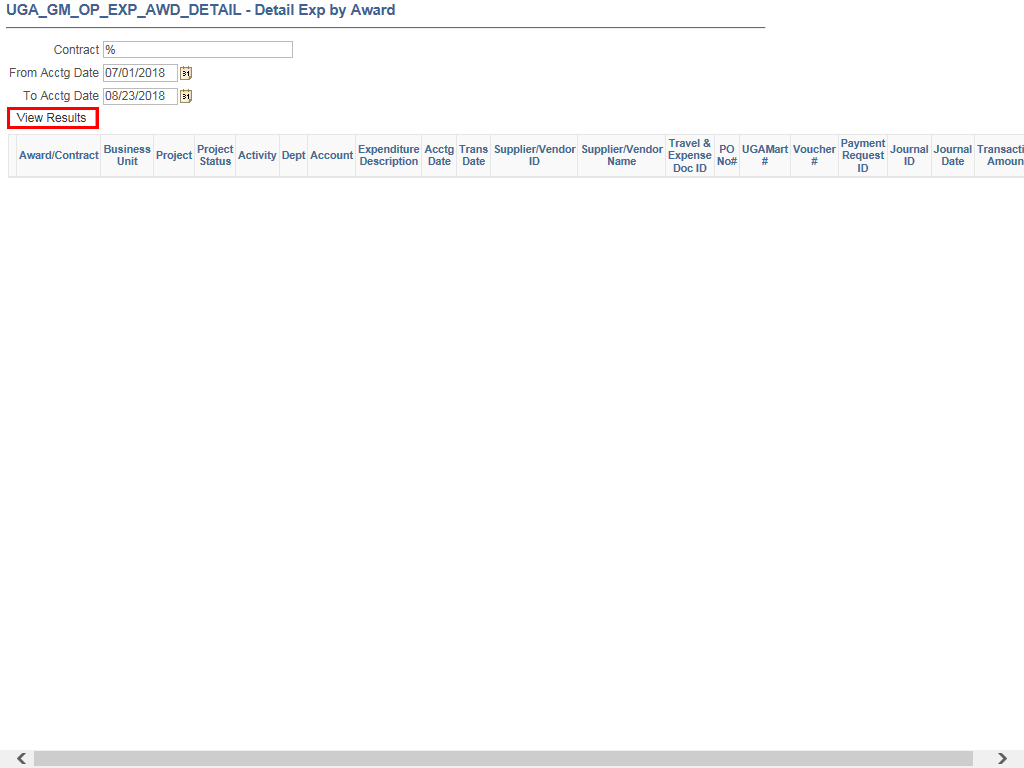 |
Click the View Results button.
|
|
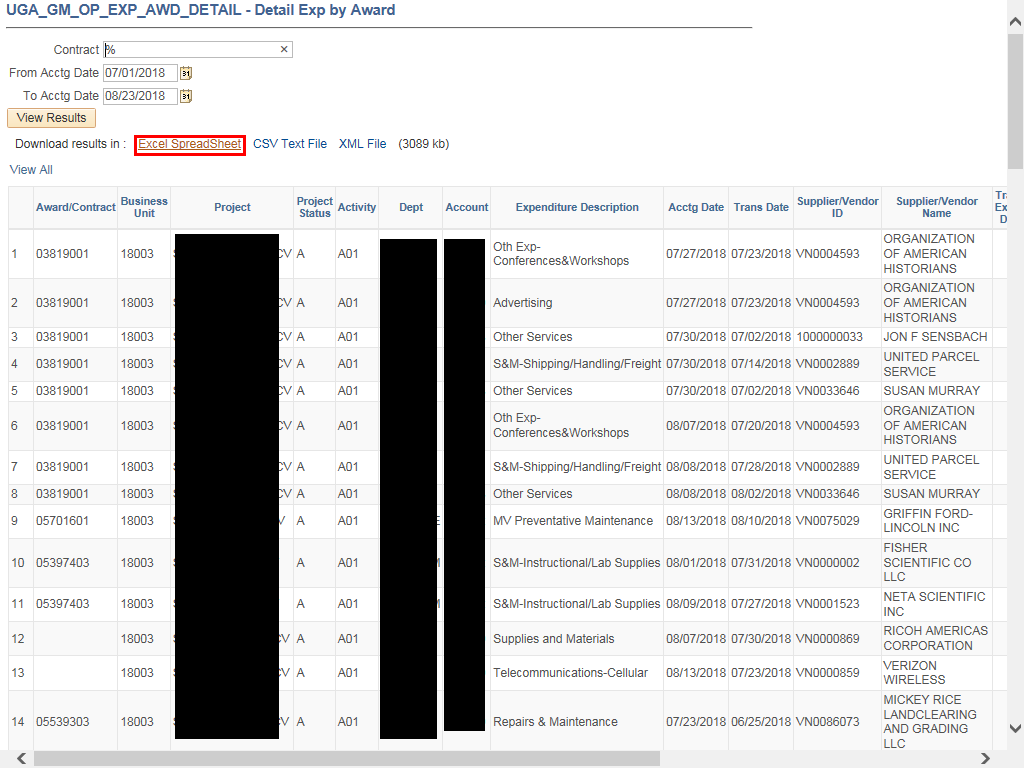 |
Click the Excel SpreadSheet link to view the results in Excel.
|
|
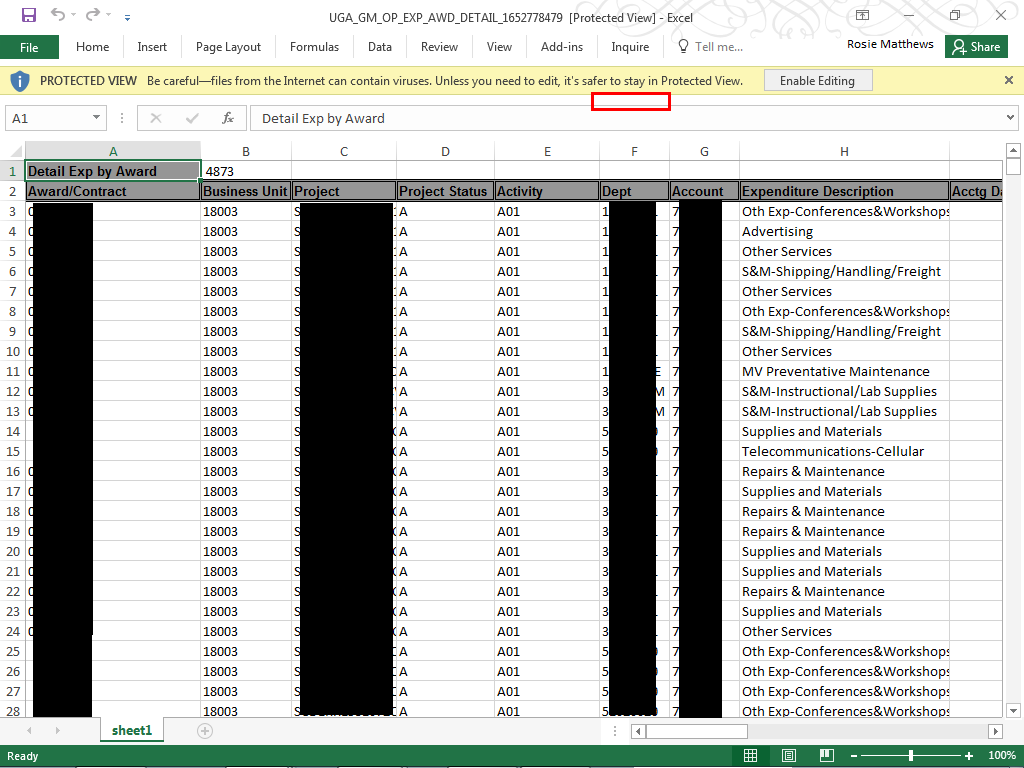 |
The Excel file is displayed. You can filter through the columns to view the information you need.
|
|
Details
Details
Article ID:
148485
Created
Sat 9/24/22 10:45 PM
Modified
Fri 3/8/24 1:44 PM